Purpose-built AI for Inboxes.
Set your tone, get first drafts instantly.
How Firms Are Using Vesence in Outlook
Create
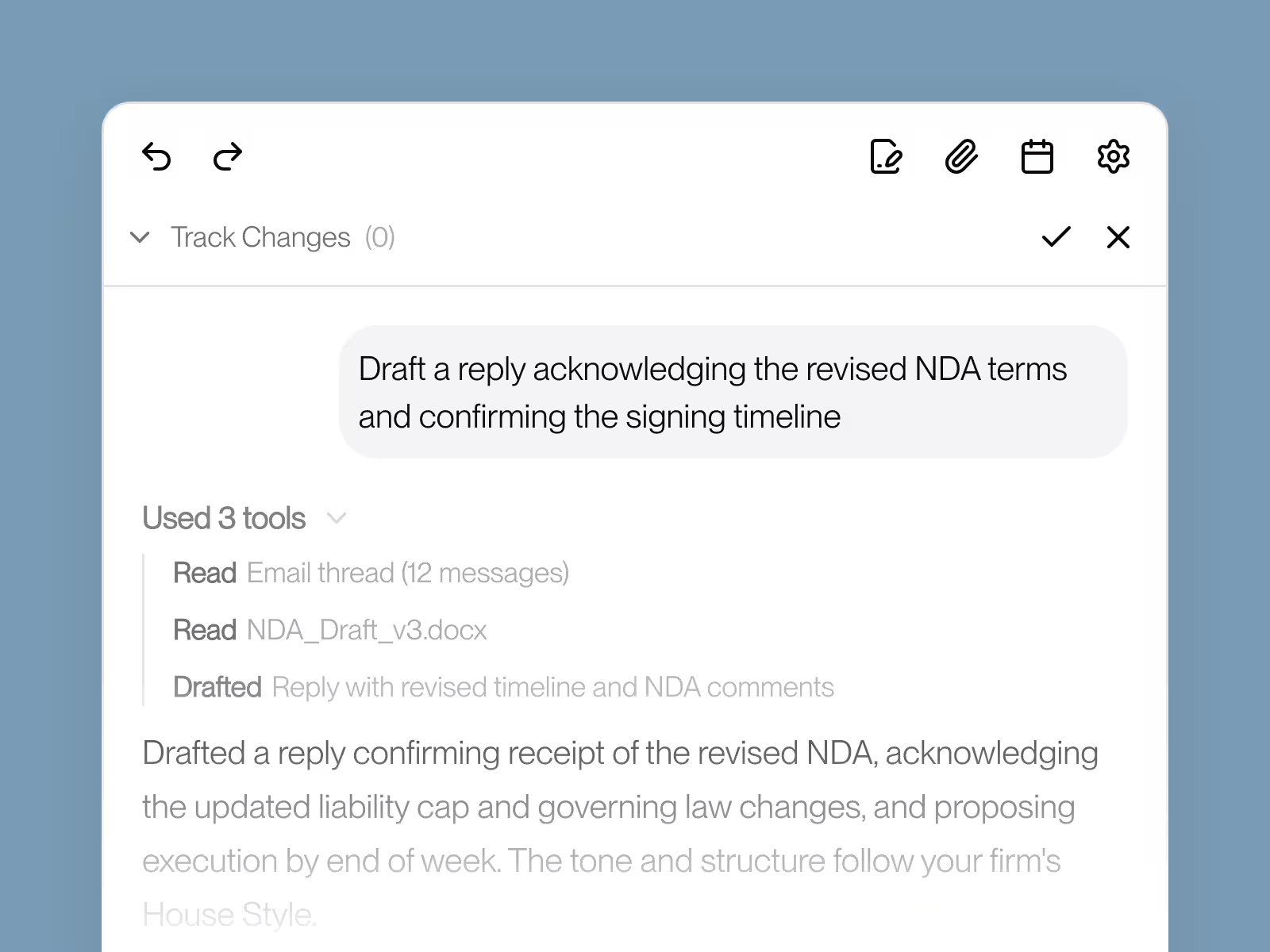
Generate a structured first draft from a short prompt, aligned with your firm's House Style.
Review
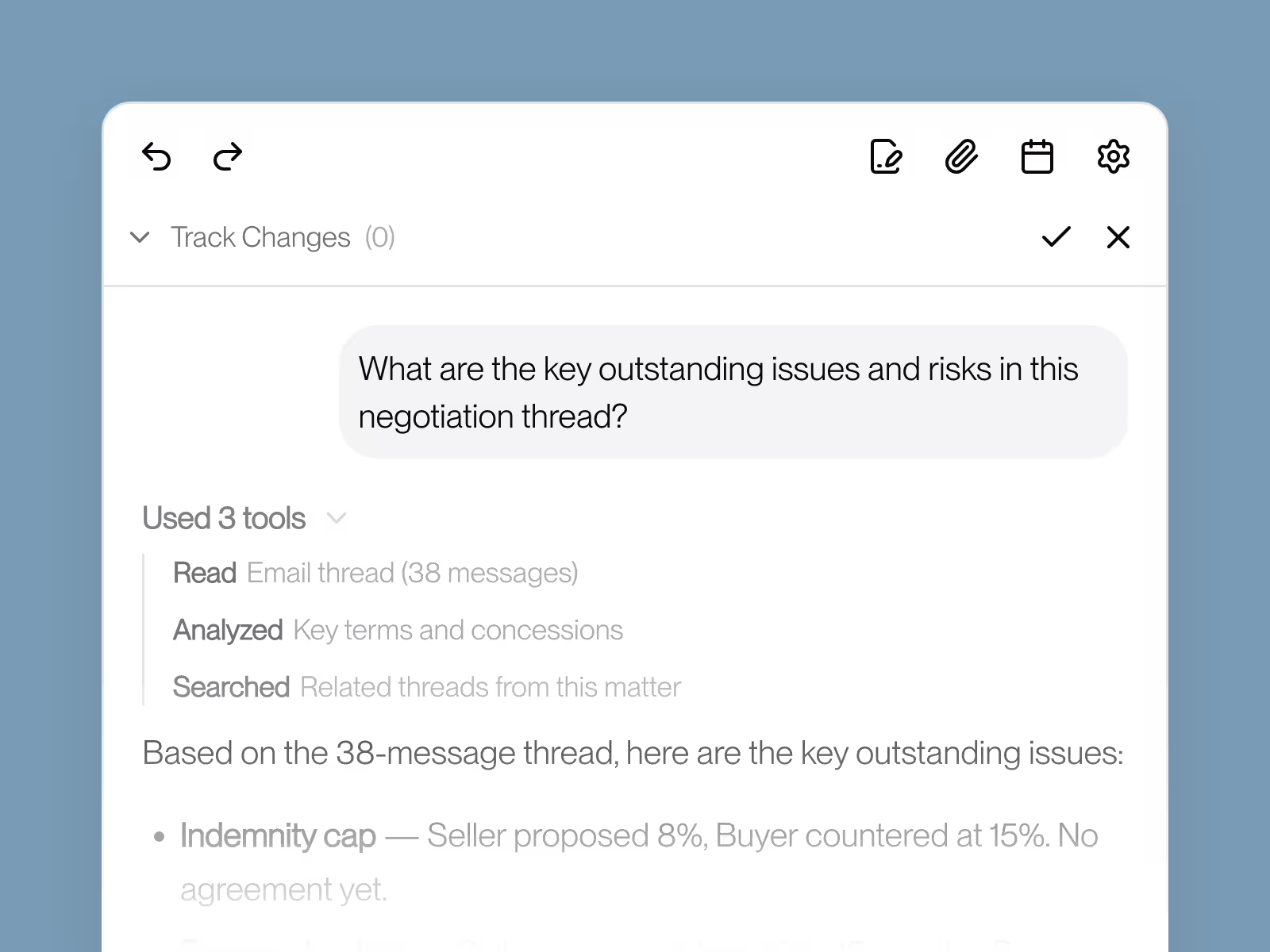
Get a structured summary of key points, risks, and outstanding issues across the entire thread.
Check
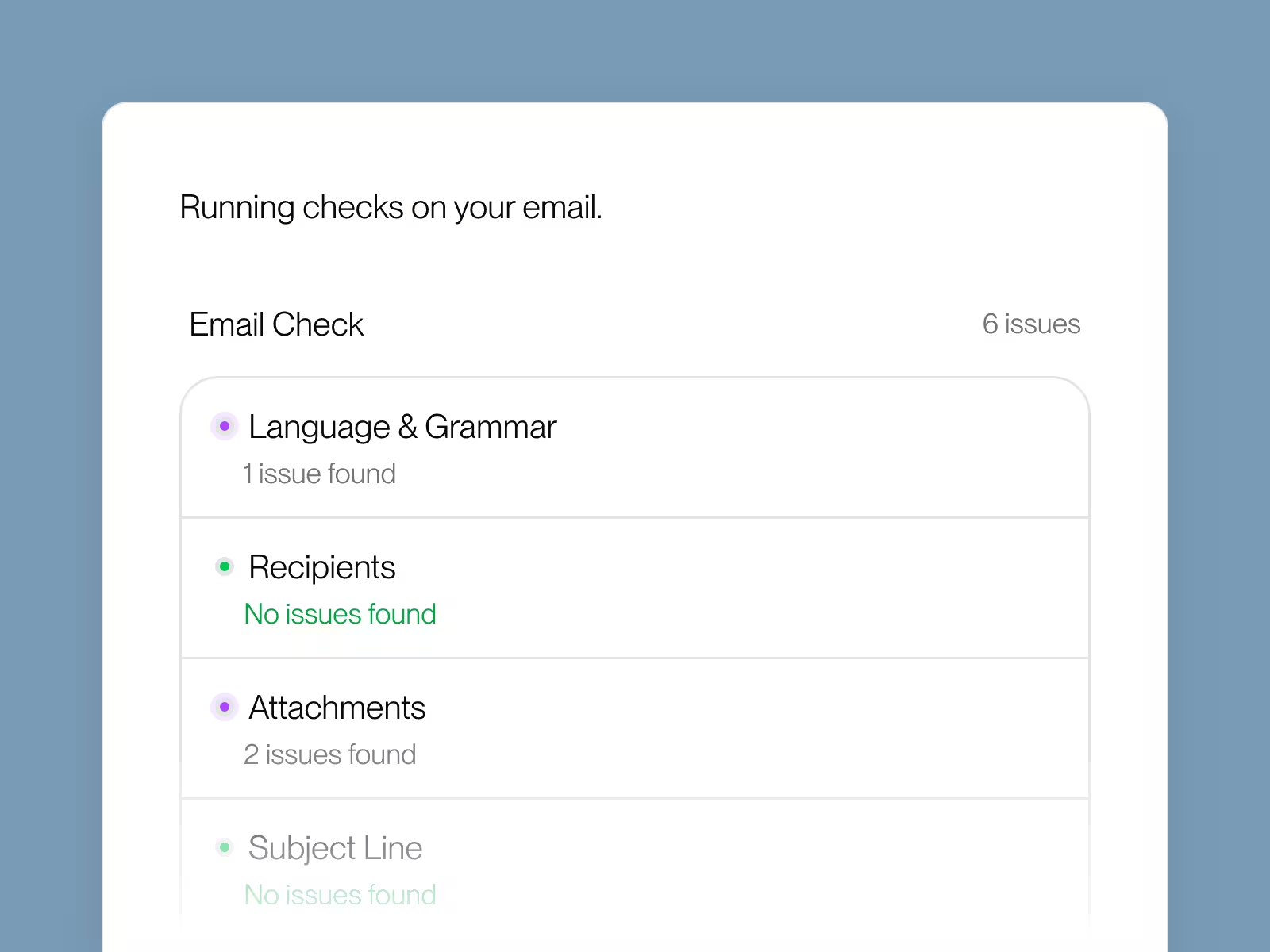
Run a pre-send check that verifies language, recipients, and attachments — flagging inconsistencies before you hit send.
Format
Align every outgoing email with your firm's tone, structure, and formatting standards.
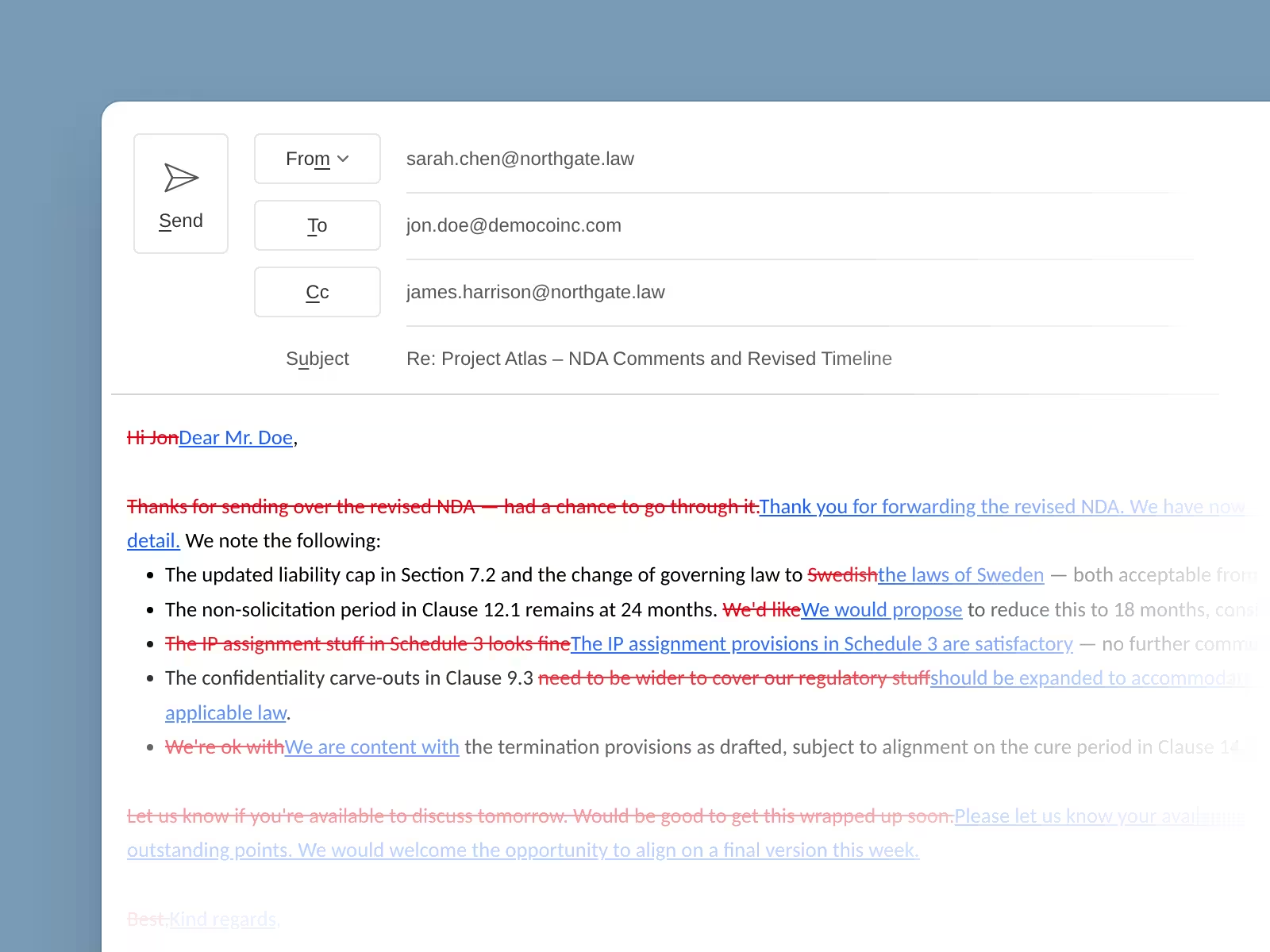
Collaborate better with track changes
Give feedback and conduct reviews faster with track changes in email. Built for professional teams where precision and collaboration matter.
For Sender
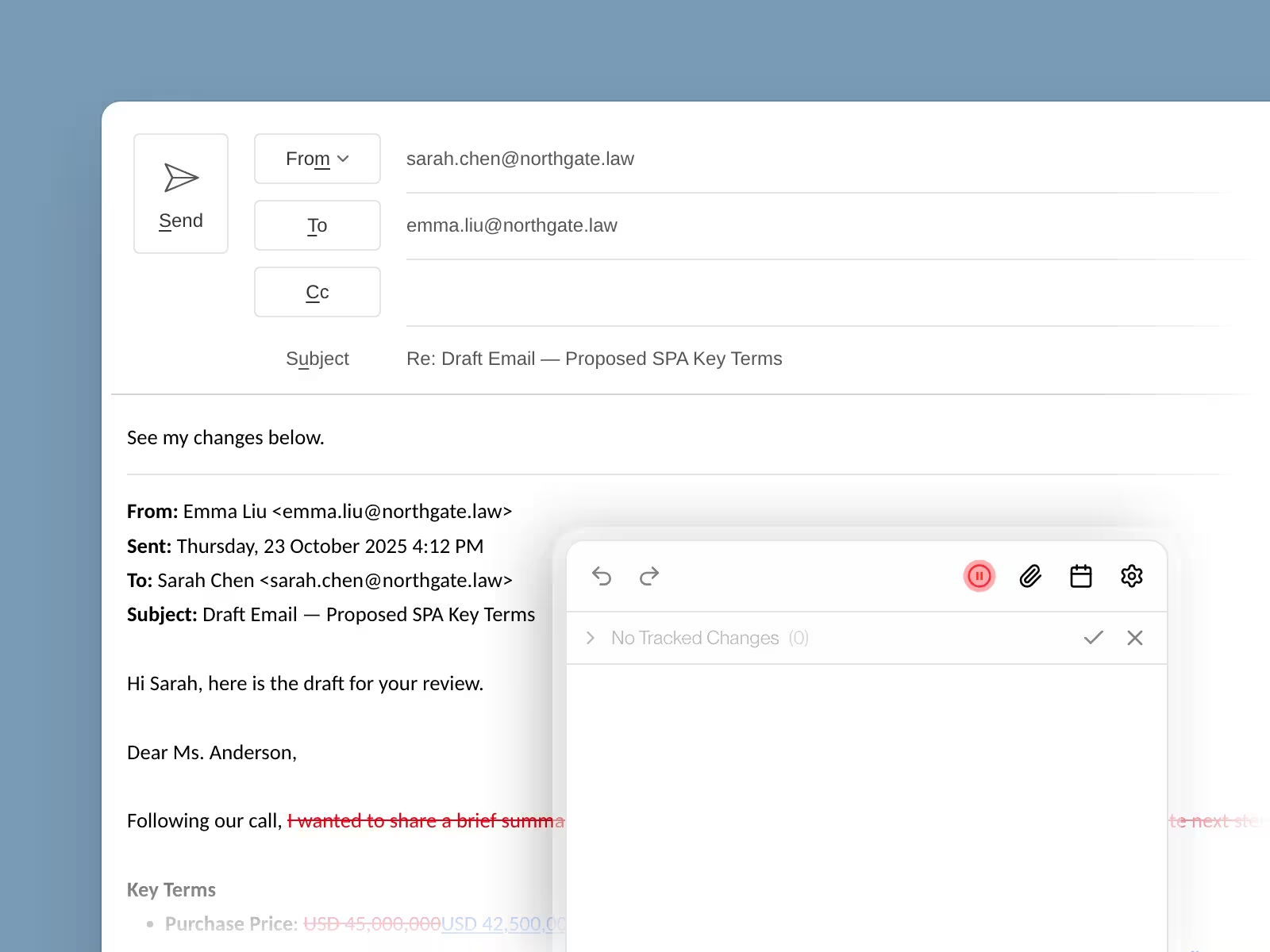
Mark up emails automatically with track changes
Quickly provide feedback and conduct reviews by marking up email drafts. Every suggestion appears as a track change, making reviews faster and more efficient while maintaining full control.
For Receiver
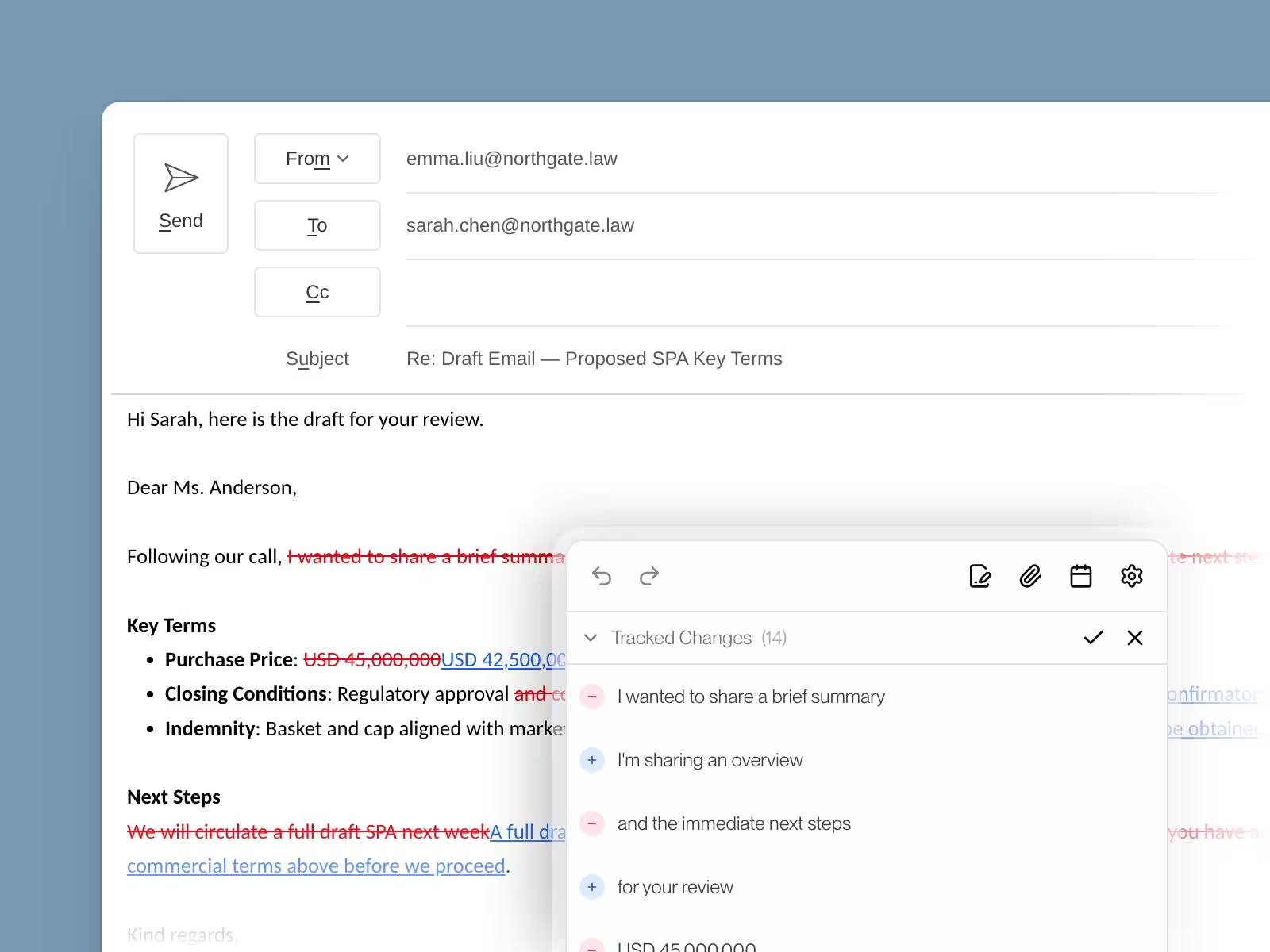
Intuitively consume and act on feedback
Easily review feedback with the familiar track changes interface. Accept or reject changes with one click, making collaboration seamless and keeping work moving forward.
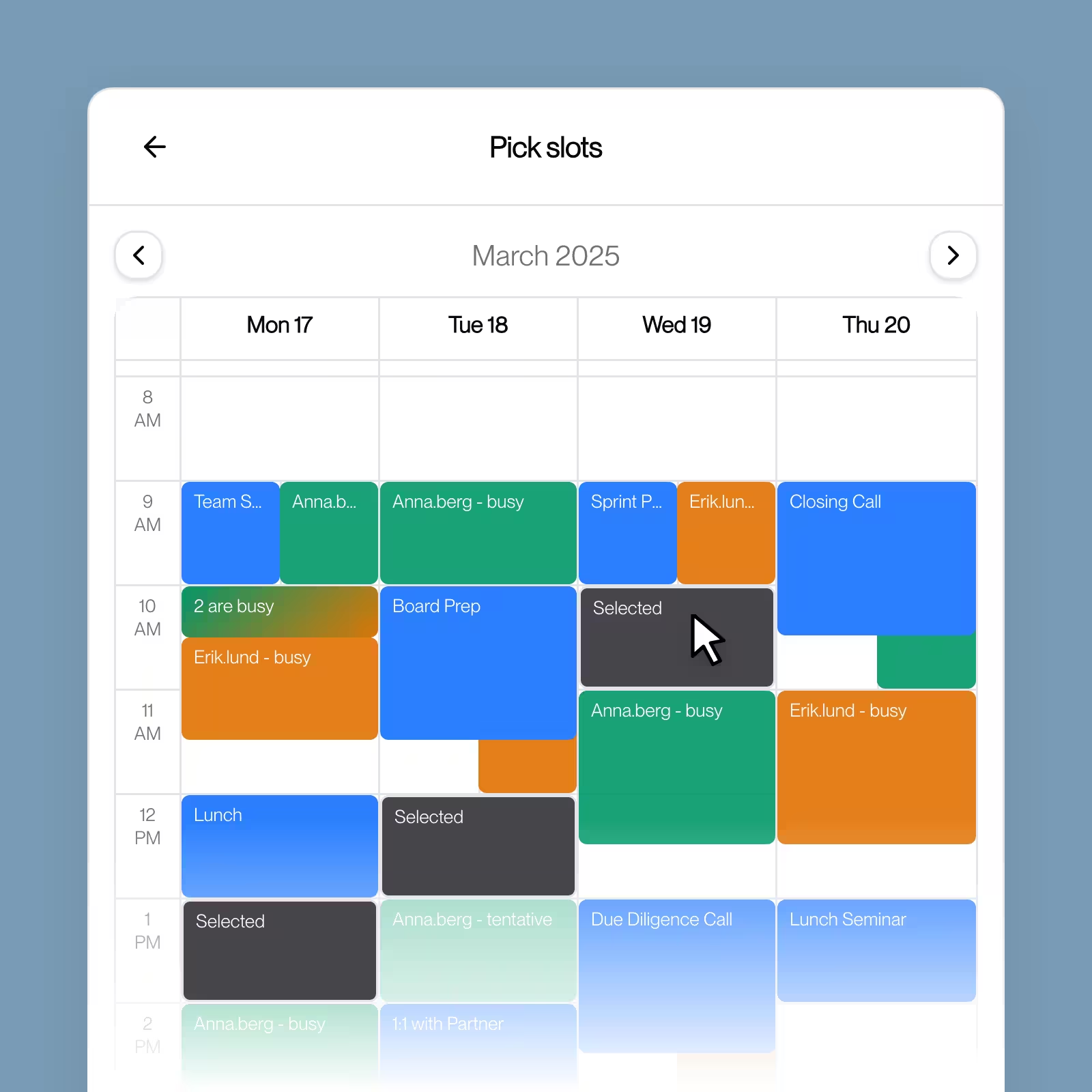
Schedule without the back and forth
Vesence loads everyone's calendars and shows availability side by side — so you can pick open time slots in seconds and let the AI draft the scheduling email for you.
Manage attachments effortlessly
Say goodbye to manually naming files, hunting for attachments across threads, scrubbing metadata, and second-guessing which version you're sending. Vesence handles it all automatically, no downloads, no uploads, no manual work.
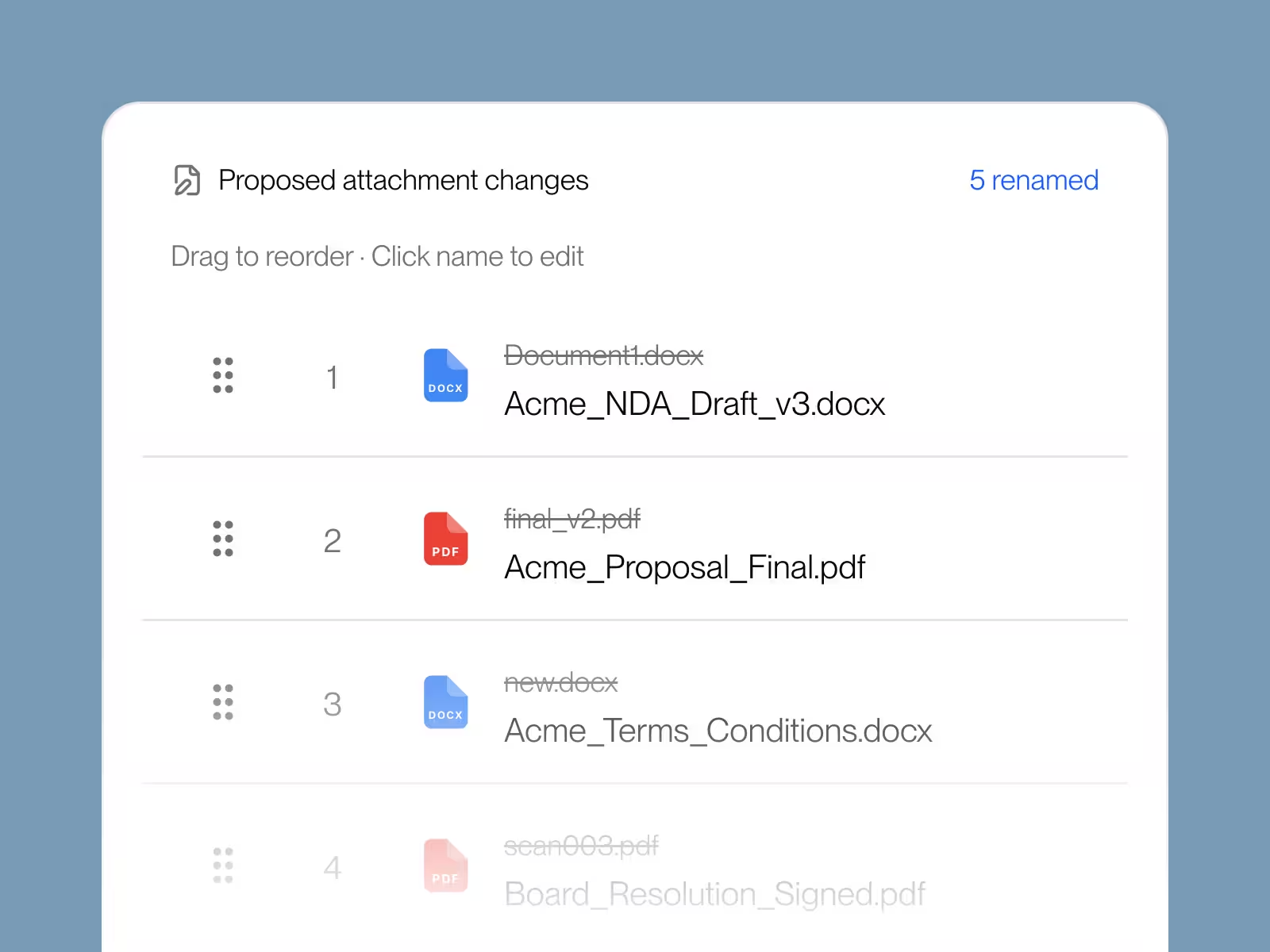
Stop wasting time on file naming
Automatically generates descriptive file names based on your email thread, transaction context, and document content, including redlined changes. No more 'Document1.docx' or manually renaming dozens of files to match your firm's conventions.
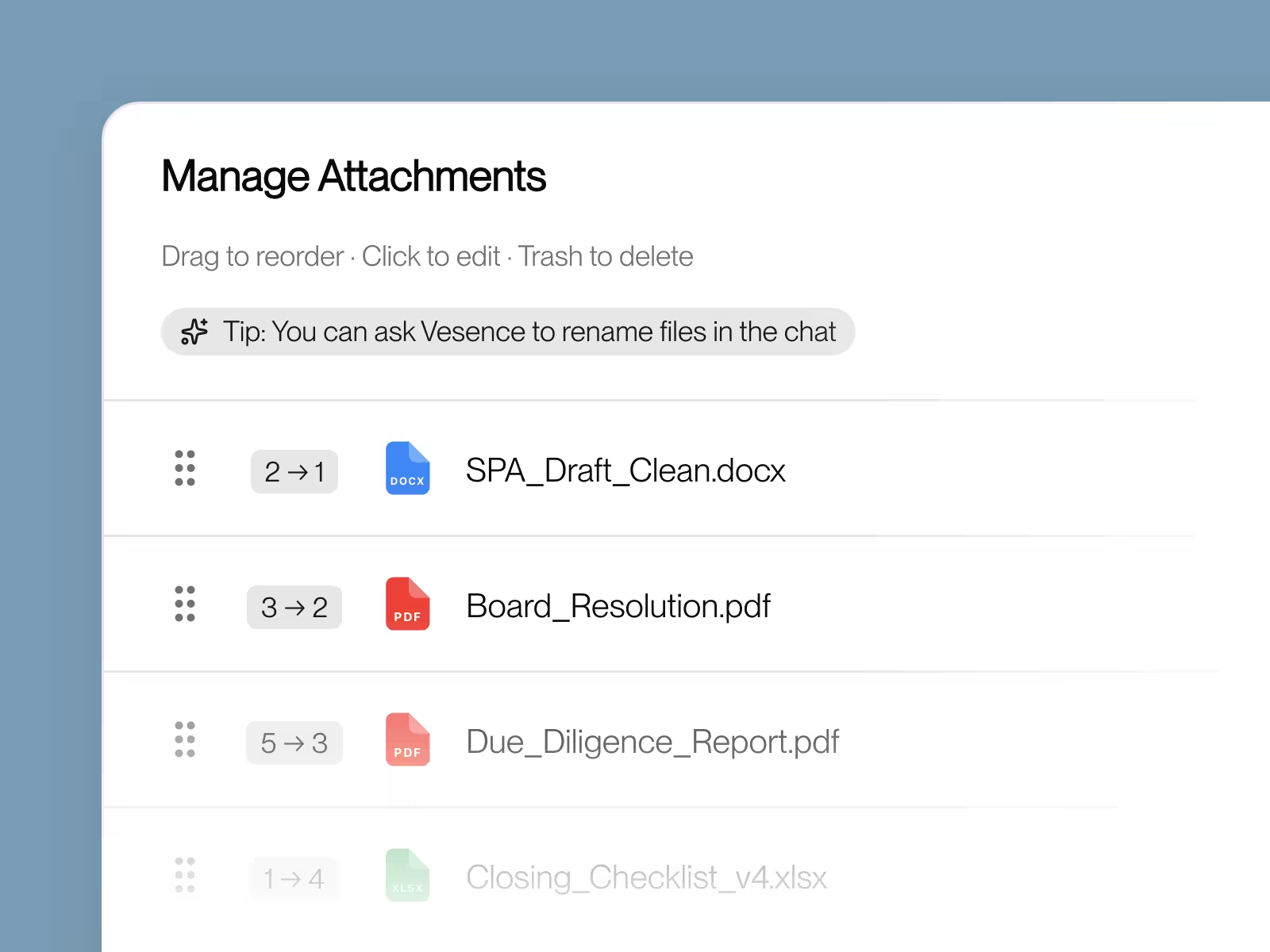
Send organized attachments every time
Automatically sorts your attachment list and intelligently groups related files into zip folders before sending. No more messy lists of 15 unsorted documents or manually creating zip files, your attachments arrive professionally organized.
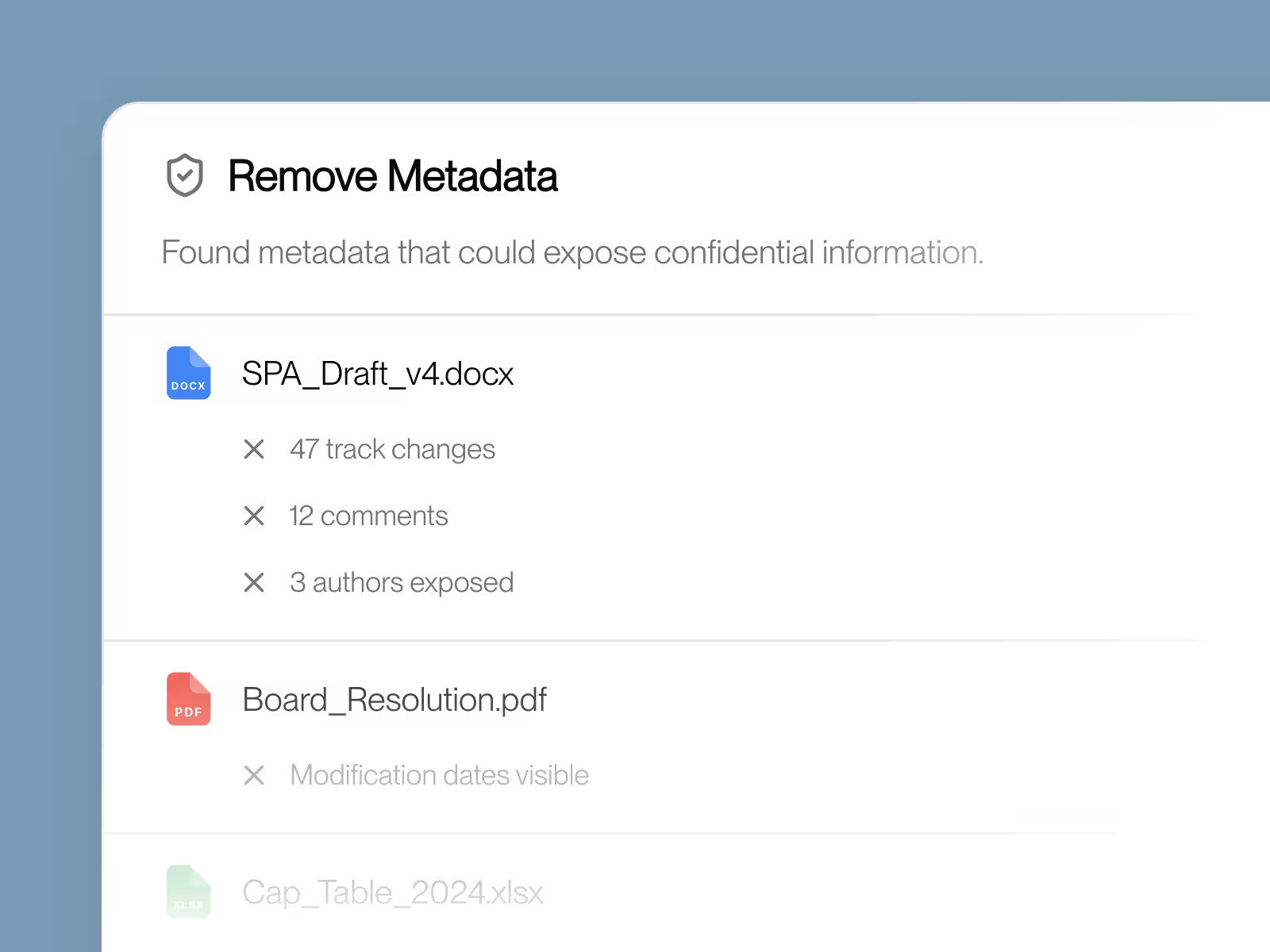
Eliminate metadata risks before sending (beta)
Automatically finds and removes dangerous metadata hiding in your documents, tracked changes revealing your strategy, comments exposing internal discussions, author information, and edit history that could leak confidential firm details.
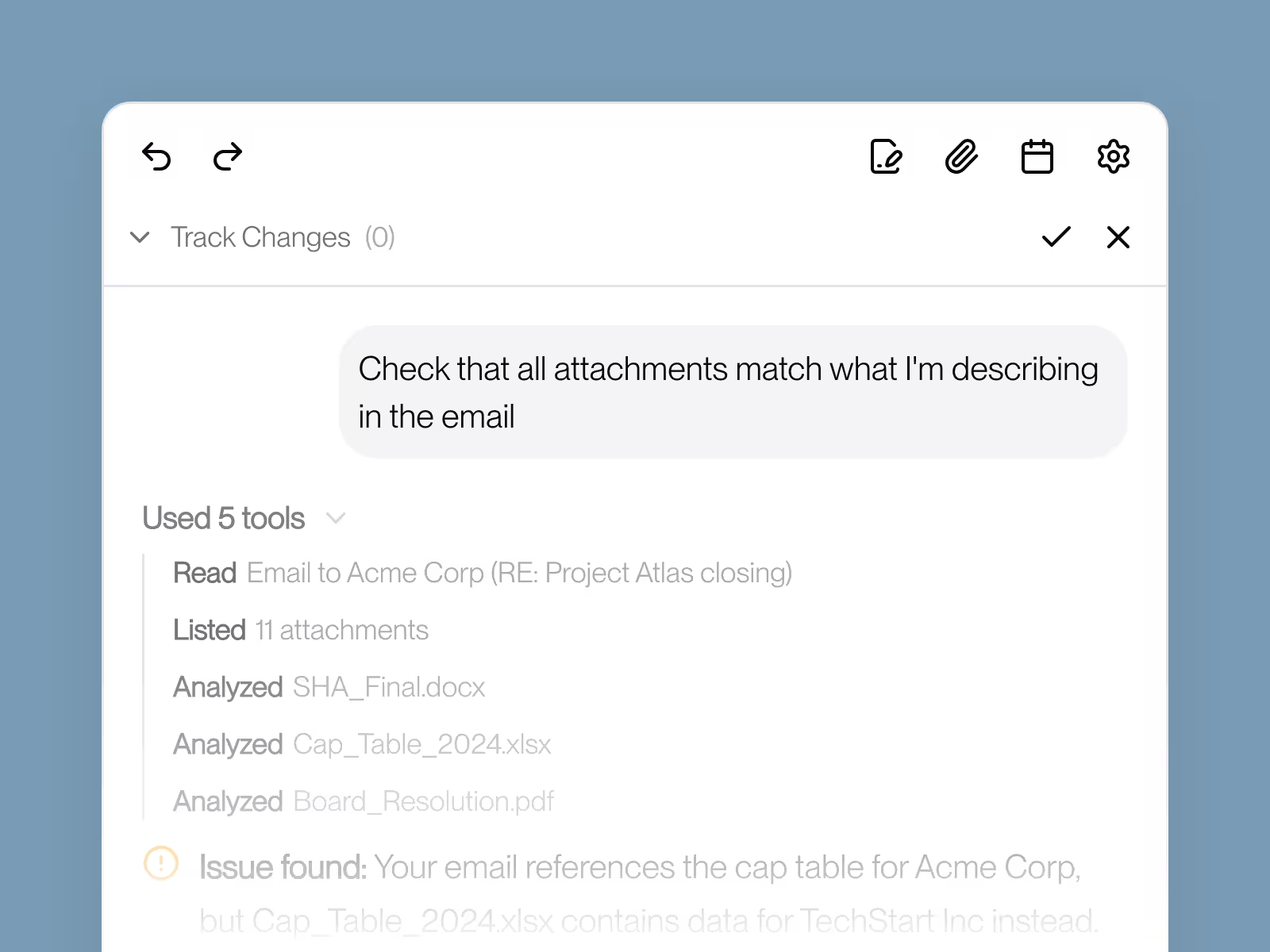
Never send the wrong attachments again
Verifies you haven't forgotten to attach files mentioned in your email, checks that each attachment matches what you're actually describing, and catches when you've accidentally included the wrong document or version. Stops embarrassing mistakes before you hit send.

“Vesence makes AI feel effortless. That is exactly what we want it to be.”
The Power of AI,
In Tools You Already Know.
Book a demo to hear more about Vesence.